
How To Apply For Cochlear
Applying the Hearing Aid Sweat Band® to your Cochlear device for wind, weather, and moisture protection.

Installing the moisture protection socklet
These instructions explain how to install the Hearing Aid Sweat Band® wind, weather, and moisture protection socklet on the ESPrit 22, ESPrit 24, or 3G.
Many recipients have found the Hearing Aid Sweat Band® beneficial when wearing their Cochlear BTE or BW body-worn headset during active or strenuous sports, or in very high-humidity situations such as walking along the seashore or fishing.
Sound-booth testing showed approximately 1.5-2 dB of dampening. Most recipients state that this change is barely noticeable.
Instructions
Follow each step carefully. Do not break or cut the fabric threads while opening the knit around the earhook or cable connector.
-
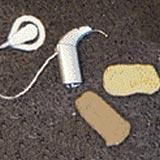 1
1Prepare the processor
Start with any ESPrit and a sock or two. Most pictures show the 3G, but the same techniques apply. The 3G is just a little trickier.
-
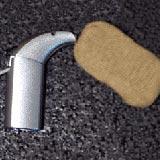 2
2Open the elastic end
Start at the earhook end and gently open the elastic end of the sock.
-
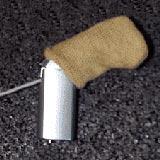 3
3Slide the sock over
Carefully slide the open end of the sock over the processor.
-
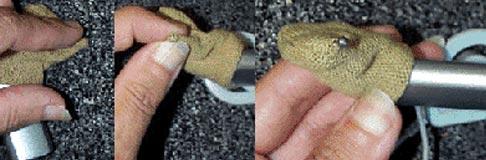 4
4Stretch over the earhook
Stretch the sock tightly over the earhook tip or ball and slowly expand the threads over the ball without breaking or cutting them.
-
 5
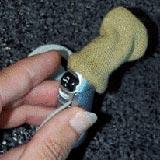
5Verify your settings
Confirm that the processor settings are correct and remain accessible through the fabric.
-
 6
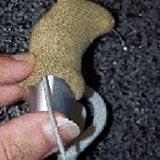
6Mark the cable exit
For the 3G, slide the sock down and mark the exit point of the cable coil.
-
 7
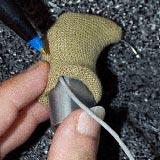
7Confirm the exit point
Check the mark against the cable position before expanding the fabric.
Note: This step is not necessary for the ESPrit or ESPrit 22 because the cable exits from the bottom of the processor. -
 8
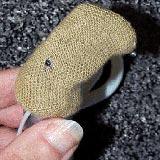
8Prepare the marked area
Locate the mark from the outside of the fabric and prepare it for gentle expansion.
-
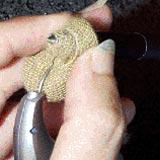 9
9Expand the fabric
At the mark, carefully expand the threads of the fabric over a pen. Do not cut the fabric.
-
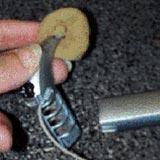 10
10Detach the cable coil
Slide the sock back to the top to allow finger access, then detach the cable coil.
-
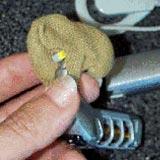 11
11Reconnect through the opening
From the outside, insert the cable coil connector through the expanded opening and reconnect it to the 3G.
-
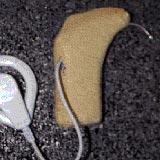 12
12Cover the processor
Stretch the sock over the rest of the 3G processor.
-
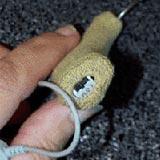 13
13Finish the installation
Cover as much of the processor as possible while keeping required controls and connections usable.
Protect your Cochlear device
Find the Hearing Aid Sweat Band® size that fits your processor and helps reduce exposure to sweat, moisture, wind, and dust.
